Physical Address
Arthur Avenue , BrookField , ILLINOIS , 60513 , United State
Physical Address
Arthur Avenue , BrookField , ILLINOIS , 60513 , United State

Last Updated: July 2026
| Quick Information | |
|---|---|
| Software Name | Hino DX2 (Diagnostic eXplorer 2) |
| Developer | Hino Motors, Ltd. |
| Category | OEM Dealer Diagnostic Software |
| Primary Purpose | Electronic diagnostics, ECU programming, troubleshooting, calibration and maintenance |
| Supported Equipment | Hino Trucks, Hino Buses and Hino Diesel Engines |
| Communication Protocols | CAN Bus, SAE J1939, ISO 15765 (UDS), ISO 14229, Hino Proprietary Communication |
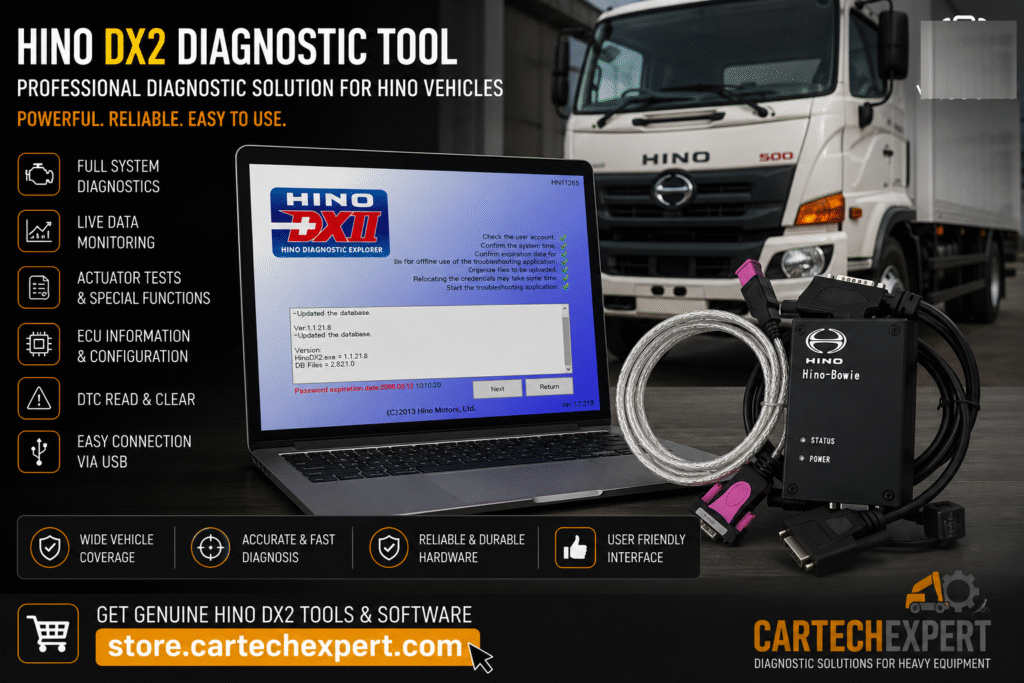
Hino DX2 (Diagnostic eXplorer 2) is the official OEM diagnostic software developed by Hino Motors for servicing Hino commercial vehicles. Used by authorized Hino dealerships and professional repair facilities worldwide, DX2 provides dealer-level access to electronic control systems installed in modern Hino trucks, buses and industrial diesel engines.
Today’s Hino vehicles rely on advanced electronic control modules to manage engine performance, emissions systems, automated transmissions, braking systems, body electronics and vehicle communication networks. Hino DX2 allows technicians to diagnose these systems efficiently while minimizing vehicle downtime and improving repair accuracy.
Diagnostic eXplorer 2 (DX2) is Hino’s official Windows-based diagnostic application designed for electronic troubleshooting, maintenance and service. Connected through an approved Hino communication interface, DX2 enables technicians to identify ECUs, retrieve Diagnostic Trouble Codes (DTCs), monitor live operating values, perform active tests, configure vehicle parameters and execute supported calibration procedures.
Unlike universal heavy-duty diagnostic software, Hino DX2 provides manufacturer-specific diagnostic capabilities developed exclusively for Hino commercial vehicles.
As Hino trucks transitioned from mechanically controlled systems to electronically managed engines and emissions technologies, Hino introduced the Diagnostic eXplorer platform to support dealership service operations. DX2 represents the latest evolution, supporting modern Hino vehicles equipped with common rail fuel injection, SCR aftertreatment systems, electronically controlled transmissions and multiplex communication networks.
| Vehicle Family | Coverage |
|---|---|
| Hino 155 Series | Class 4 Trucks |
| Hino 195 Series | Class 5 Trucks |
| Hino 238 Series | Medium Duty Trucks |
| Hino 258 Series | Medium Duty Trucks |
| Hino 268 Series | Medium Duty Trucks |
| Hino 338 Series | Heavy Duty Trucks |
| Hino XL Series | Class 7 & 8 Trucks |
| Hino Buses | Supported Electronic Models |
| Controller | Function |
|---|---|
| Engine ECU | Fuel Injection, Turbocharger & Emissions |
| Transmission ECU | Automatic Transmission Management |
| ABS Controller | Anti-lock Brake System |
| Body Control Module | Vehicle Electrical Functions |
| Instrument Cluster | Driver Information |
| Aftertreatment Controller | SCR, DPF & DEF Management |
| Climate Control ECU | HVAC Management |
| Steering Controller | Electronic Steering Functions |
| Function | Status |
|---|---|
| Read Diagnostic Trouble Codes | Supported |
| Clear Diagnostic Trouble Codes | Supported |
| Live Data Monitoring | Supported |
| Active Tests | Supported |
| ECU Identification | Supported |
| Calibration Procedures | Supported |
| Injector Registration | Supported |
| Service Reports | Supported |
DX2 allows technicians to monitor engine RPM, fuel rail pressure, turbocharger boost pressure, coolant temperature, engine oil pressure, transmission information, battery voltage, DPF soot accumulation, SCR operation, DEF dosing, exhaust temperatures and hundreds of additional real-time operating values. These live parameters are essential for diagnosing intermittent faults and verifying successful repairs.
Hino DX2 retrieves active, stored and historical Diagnostic Trouble Codes directly from supported ECUs. Each fault is linked to the appropriate controller, helping technicians identify engine, transmission, brake or electrical system failures quickly.
Depending on the vehicle generation and authorization level, DX2 supports ECU parameter configuration, injector coding, controller replacement procedures and software updates for selected electronic modules. Programming functions must always follow official Hino service procedures.
Engine diagnostic capabilities include common rail fuel injection analysis, turbocharger diagnostics, EGR system monitoring, SCR system testing, DEF dosing verification, DPF regeneration support, exhaust temperature monitoring and complete emissions troubleshooting for supported Hino diesel engines.
DX2 provides diagnostics for electronically controlled automatic transmissions, including gear selection monitoring, transmission oil temperature analysis, clutch adaptation (where applicable), pressure monitoring and calibration routines.
Brake diagnostics include ABS controller communication, wheel speed sensor testing, brake pressure monitoring, hydraulic brake diagnostics and electronic braking system troubleshooting for supported vehicle platforms.
Electrical diagnostics include CAN Bus communication analysis, actuator activation, wiring diagnostics, ECU communication verification, sensor voltage monitoring and body control module testing using OEM diagnostic routines.
Coverage depends on the vehicle model, production year and electronic architecture supported by the installed software version.
Yes. Supported common rail diesel engines allow injector registration and coding after injector replacement.
Yes. Supported Hino vehicles include DPF regeneration and other emissions-related maintenance functions according to the vehicle configuration.
Certain programming and configuration functions are available for compatible controllers following official Hino service procedures.
Yes. As the official Hino OEM diagnostic platform, DX2 provides manufacturer-specific diagnostics, service functions and guided troubleshooting unavailable through most aftermarket diagnostic applications.
Always verify battery voltage, power supply, CAN Bus resistance and connector integrity before replacing electronic control units. Communication problems are often caused by damaged wiring or poor electrical connections rather than failed ECUs.
Whenever injector coding or ECU replacement is performed, complete all required calibration procedures before returning the vehicle to service to ensure proper engine performance and emissions compliance.
Hino DX2 is the official OEM diagnostic platform for Hino commercial vehicles, providing dealer-level diagnostics, ECU configuration, live data monitoring, active testing and advanced troubleshooting capabilities. Its comprehensive support for modern diesel engines, emissions systems and electronic vehicle networks makes it an indispensable tool for professional Hino service workshops.
