Physical Address
Arthur Avenue , BrookField , ILLINOIS , 60513 , United State
Physical Address
Arthur Avenue , BrookField , ILLINOIS , 60513 , United State

Last Updated: July 2026
| Quick Information | |
|---|---|
| Software Name | CAT SIS (Service Information System) |
| Developer | Caterpillar |
| Category | Service Information & Technical Documentation |
| Primary Purpose | Access to service documentation, parts information, troubleshooting and repair procedures for supported Caterpillar equipment. |
| Typical Users | Dealers, field technicians, workshop mechanics and fleet maintenance teams. |
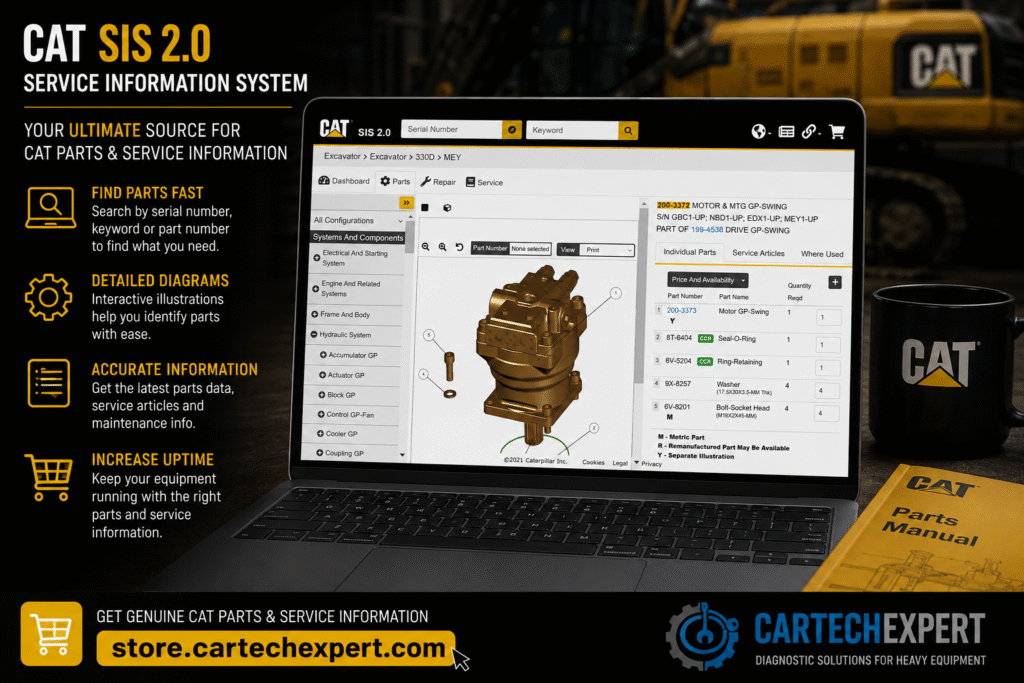
CAT SIS (Service Information System) is Caterpillar’s technical information platform that helps technicians locate service manuals, troubleshooting guides, parts information, electrical schematics and maintenance documentation for supported Caterpillar equipment.
Unlike CAT Electronic Technician (CAT ET), which communicates directly with electronic control modules, CAT SIS focuses on technical documentation and repair information. Together they form a powerful combination for diagnosing and repairing Caterpillar machines.
| Equipment Category | Examples |
|---|---|
| Hydraulic Excavators | 320, 336, 349 and many supported models |
| Wheel Loaders | 930, 950, 966, 980 series |
| Bulldozers | D3 through D11 families |
| Motor Graders | 120, 140, 160 series |
| Mining Equipment | Selected haul trucks and loaders |
| Industrial & Marine Engines | Supported Caterpillar engine families |
| Resource | Description |
|---|---|
| Service Manuals | Maintenance and repair guidance. |
| Troubleshooting Procedures | Structured fault isolation. |
| Electrical Schematics | Machine wiring information. |
| Hydraulic Schematics | Hydraulic circuit references. |
| Parts Information | Component identification. |
| Operation & Maintenance | Routine servicing information. |
A common workshop workflow is to identify diagnostic trouble codes and live data with CAT ET, then consult CAT SIS for troubleshooting procedures, specifications, torque values and repair documentation.
No. CAT ET communicates with electronic systems, while CAT SIS provides service documentation and repair information.
It supports troubleshooting by providing procedures and reference information but does not communicate directly with machine controllers.
It includes technical information that assists technicians in identifying components for supported equipment.
Many experienced Caterpillar technicians use CAT ET and CAT SIS together. Diagnostic data points you toward the fault, while technical documentation helps verify the repair method and specifications.
CAT SIS is an essential resource for workshops maintaining Caterpillar equipment. Combined with systematic diagnostics and manufacturer service information, it helps technicians improve repair quality and reduce equipment downtime.
