Physical Address
Arthur Avenue , BrookField , ILLINOIS , 60513 , United State
Physical Address
Arthur Avenue , BrookField , ILLINOIS , 60513 , United State

Last Updated: July 2026
| Quick Information | |
|---|---|
| Software Name | CAT Electronic Technician (CAT ET) |
| Developer | Caterpillar |
| Category | Dealer Diagnostic Software |
| Primary Use | Diagnostics, maintenance, configuration and service operations for supported Caterpillar electronic systems. |
| Typical Users | Dealers, independent workshops, fleet technicians and maintenance engineers. |
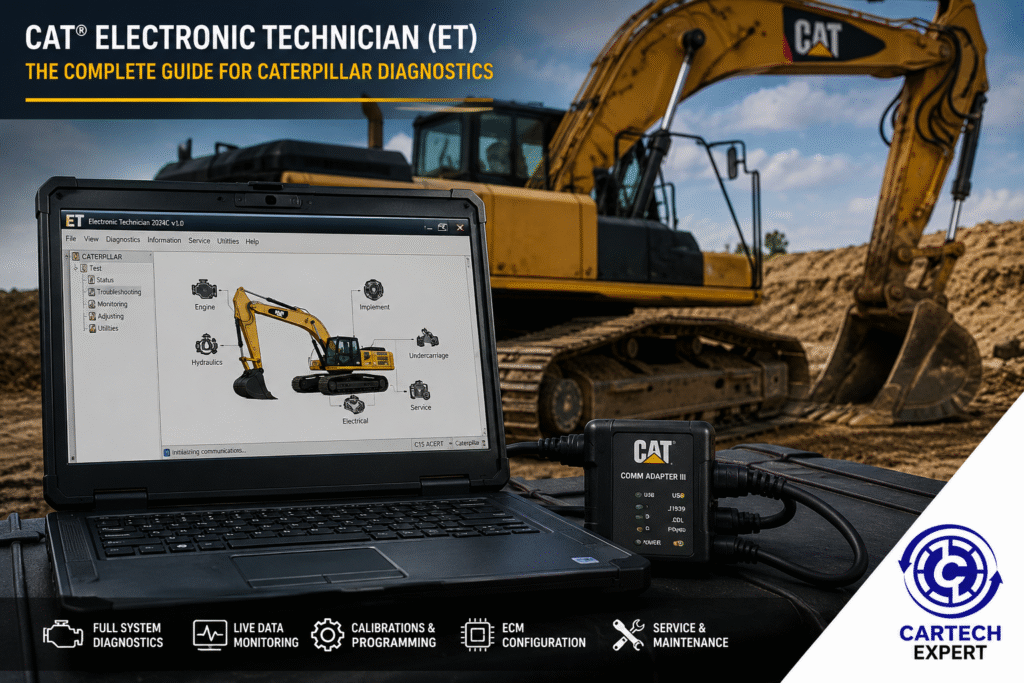
CAT Electronic Technician (CAT ET) is Caterpillar’s official diagnostic application for communicating with supported electronic control modules (ECMs) installed on many Caterpillar machines and engines. In a professional workshop it is commonly used to identify diagnostic trouble codes, monitor live operating data, perform service tests, configure parameters, and support maintenance operations.
Unlike a universal scan tool, CAT ET is designed specifically for Caterpillar electronic systems. Depending on the machine, hardware, software version and authorization available to the technician, it can provide access to manufacturer-specific information and service functions.
CAT ET is Windows-based software that works with approved communication hardware to exchange information with supported Caterpillar control modules. It helps technicians diagnose faults more efficiently by presenting live operating values, event codes and diagnostic information in a structured format.
| Machine Family | Typical Coverage |
|---|---|
| Hydraulic Excavators | Many electronically controlled models |
| Wheel Loaders | Supported electronic platforms |
| Bulldozers | Supported electronic platforms |
| Motor Graders | Supported electronic platforms |
| Articulated Trucks | Supported electronic platforms |
| Industrial Engines | Selected electronic engine families |
| Marine Engines | Selected electronic engine families |
| Generator Sets | Selected electronic systems |
| Adapter | Notes |
|---|---|
| CAT Communication Adapter III | Widely used with CAT ET. |
| Earlier CAT Communication Adapters | Legacy support may vary. |
| Certain RP1210-compatible interfaces | Compatibility depends on configuration and software support. |
| Function | Availability |
|---|---|
| Read Diagnostic Codes | Yes |
| Clear Diagnostic Codes | Supported where applicable |
| Live Data | Yes |
| Status Monitoring | Yes |
| Data Logging | Supported |
| Service Tests | Depends on equipment |
| Configuration | Depends on ECM and authorization |
Many supported platforms allow technicians to perform calibration and service procedures after maintenance. Availability varies according to machine family, electronic control module, software release and service authorization.
Yes, supported ECMs can provide live operating information through the software.
Yes, where the ECM allows it and the underlying condition has been corrected.
No. Compatibility depends on the machine’s electronic architecture, software version and supported hardware.
CAT Electronic Technician remains one of the core diagnostic applications used for supported Caterpillar equipment. For maintenance professionals, understanding its capabilities, hardware requirements and practical limitations helps improve diagnostic efficiency and reduce downtime.
