Physical Address
Arthur Avenue , BrookField , ILLINOIS , 60513 , United State
Physical Address
Arthur Avenue , BrookField , ILLINOIS , 60513 , United State

Last Updated: July 2026
| Quick Information | |
|---|---|
| Software Name | John Deere Service Advisor |
| Developer | John Deere |
| Category | Dealer-Level Diagnostic & Service Software |
| Primary Purpose | Diagnostics, troubleshooting, maintenance guidance and electronic service support for supported John Deere equipment. |
| Industries | Agriculture, Construction, Forestry, Turf Care |
| Typical Users | Dealers, fleet workshops, agricultural technicians and service engineers. |
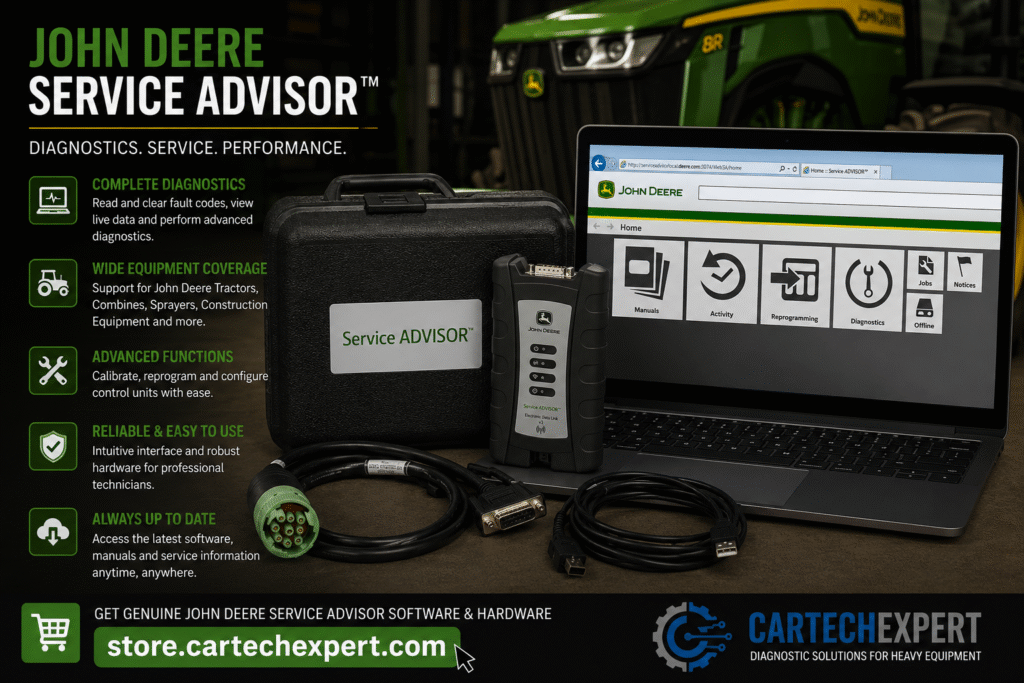
John Deere Service Advisor is the official service application used by technicians to diagnose, inspect and maintain many electronically controlled John Deere machines. It combines diagnostic capabilities with service information, helping technicians identify faults, monitor machine performance and carry out supported maintenance procedures.
The software is widely used across agricultural, construction, forestry and turf equipment equipped with compatible electronic control systems.
Service Advisor communicates with supported machine controllers through approved communication adapters. Depending on the machine platform and authorization level, it provides access to controller identification, diagnostic trouble codes, live machine data, calibration procedures and maintenance information.
Main Functions| Equipment Category | Examples |
|---|---|
| Agricultural Tractors | Compact, Utility and Row Crop models |
| Combine Harvesters | Supported electronic platforms |
| Forage Harvesters | Supported electronic platforms |
| Self-Propelled Sprayers | Supported electronic platforms |
| Excavators | Selected construction models |
| Wheel Loaders | Selected construction models |
| Dozers & Graders | Supported models |
| Forestry Equipment | Selected harvesters and forwarders |
| Controller | Purpose |
|---|---|
| Engine ECM | Engine management |
| Transmission Controller | Transmission operation |
| Hydraulic Controller | Hydraulic system management |
| Display Controller | Operator interface |
| Implement Controller | Attachment communication |
| Guidance Controller | Precision agriculture systems |
| Adapter | Notes |
|---|---|
| John Deere EDL V2 | Common dealer communication interface. |
| John Deere EDL V3 | Supports newer machine platforms. |
| Approved RP1210 Interfaces | Compatibility varies. |
| Feature | Availability |
|---|---|
| Read DTCs | Yes |
| Clear DTCs | Supported where applicable |
| Live Data | Yes |
| Controller Identification | Yes |
| Active Tests | Depends on model |
| Calibrations | Supported on compatible systems |
| Configuration | Depends on authorization |
Available maintenance routines vary by equipment family and controller. Supported procedures may include controller resets, guided calibrations and configuration updates where authorized.
Yes, supported controllers can provide real-time operating information.
Many compatible John Deere construction machines are supported, depending on the model and electronic architecture.
Many supported platforms include access to guidance and implement-related controllers.
Many communication problems are caused by damaged diagnostic connectors, poor battery voltage or network wiring faults rather than controller failures. Verify the machine’s electrical health before replacing electronic modules.
John Deere Service Advisor is a professional diagnostic platform that helps technicians maintain and troubleshoot compatible John Deere equipment efficiently. Used with the correct communication hardware and a systematic diagnostic process, it supports reliable maintenance across agriculture, construction and forestry applications.
