Physical Address
Arthur Avenue , BrookField , ILLINOIS , 60513 , United State
Physical Address
Arthur Avenue , BrookField , ILLINOIS , 60513 , United State

Last Updated: July 2026
| Quick Information | |
|---|---|
| Software Name | Cummins INSITE |
| Developer | Cummins Inc. |
| Category | Dealer-Level Engine Diagnostic Software |
| Primary Application | Electronic diagnostics, maintenance and service for supported Cummins engines. |
| Typical Users | Dealers, fleet workshops, diesel technicians and service engineers. |
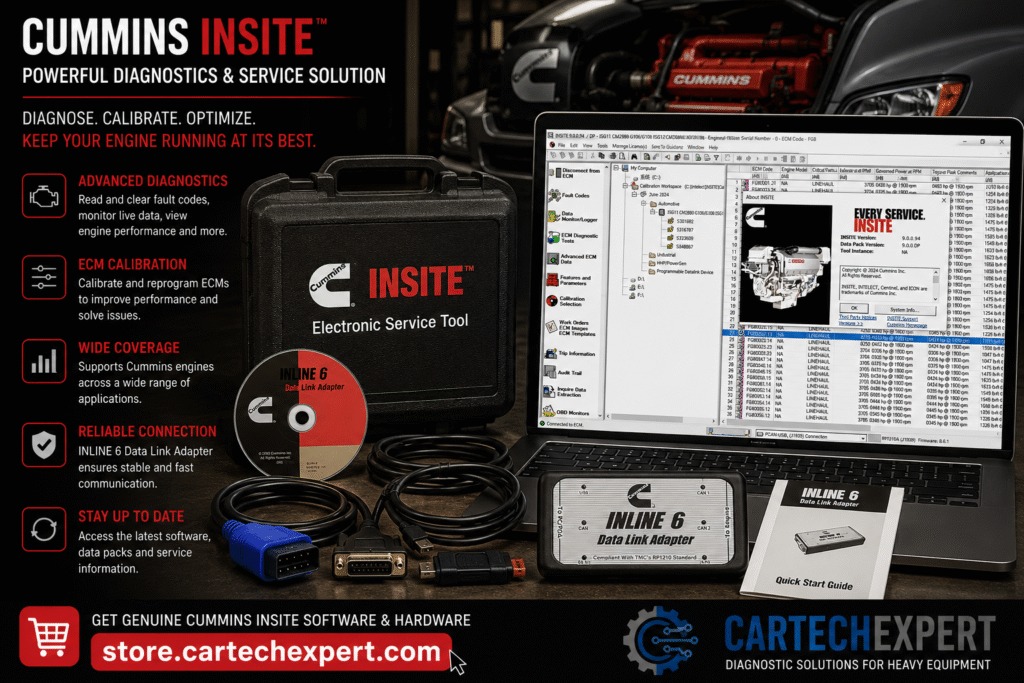
Cummins INSITE is the official Windows-based diagnostic application used to communicate with many electronically controlled Cummins diesel and natural gas engines. It provides technicians with access to engine electronic control modules (ECMs) for diagnostics, monitoring, troubleshooting and selected maintenance operations.
Whether servicing heavy-duty trucks, buses, agricultural machinery, construction equipment, generators or industrial power units equipped with supported Cummins engines, INSITE is one of the industry’s most recognized dealer diagnostic platforms.
INSITE communicates with supported Cummins ECMs through approved communication interfaces. It helps technicians identify engine problems quickly by displaying diagnostic trouble codes, sensor values, trip information and configurable engine parameters.
| Engine Family | Typical Applications |
|---|---|
| ISB | Medium-duty trucks and buses |
| ISC / ISL | Vocational trucks and industrial equipment |
| ISX / X15 | Heavy-duty highway trucks |
| X12 | Regional haul applications |
| QSB / QSL / QSX | Construction and industrial equipment |
| B, L and X Series | Various supported applications |
| Adapter | Notes |
|---|---|
| Cummins INLINE 6 | Commonly used for legacy systems. |
| Cummins INLINE 7 | Widely used for modern applications. |
| INLINE Mini | Portable option for supported systems. |
| Approved RP1210 interfaces | Compatibility varies by configuration. |
| Function | Availability |
|---|---|
| Read Fault Codes | Yes |
| Clear Fault Codes | Supported where applicable |
| Live Data Monitoring | Yes |
| Trip Information | Supported |
| Data Logging | Supported |
| Diagnostic Tests | Depends on engine platform |
| Parameter Configuration | Depends on authorization and ECM |
Available service procedures depend on the engine platform, ECM type and authorized access. Supported operations may include maintenance resets, configuration changes and guided service functions.
Yes. Supported engines provide real-time operating information such as temperatures, pressures and sensor values.
Yes, when supported by the ECM and after the root cause has been corrected.
No. Compatibility depends on the engine family, electronic architecture, ECM generation and software release.
Communication issues are often caused by low system voltage, damaged diagnostic connectors, outdated interface drivers or incorrect adapter configuration rather than the software itself. Confirm power supply and communication integrity before replacing electronic components.
Cummins INSITE is a professional diagnostic platform that helps technicians diagnose electronic engine systems efficiently. When paired with the correct communication hardware and a structured troubleshooting process, it can significantly improve maintenance efficiency and reduce unnecessary downtime.
