Physical Address
Arthur Avenue , BrookField , ILLINOIS , 60513 , United State
Physical Address
Arthur Avenue , BrookField , ILLINOIS , 60513 , United State

Last Updated: July 2026
| Quick Information | |
|---|---|
| Software Name | CLAAS CDS (CLAAS Diagnostic System) |
| Developer | CLAAS |
| Category | Dealer-Level Agricultural Equipment Diagnostic Software |
| Supported Equipment | Tractors, Combine Harvesters, Forage Harvesters, Balers, Telehandlers and other compatible CLAAS machines |
| Primary Purpose | Electronic diagnostics, calibration, maintenance and troubleshooting. |
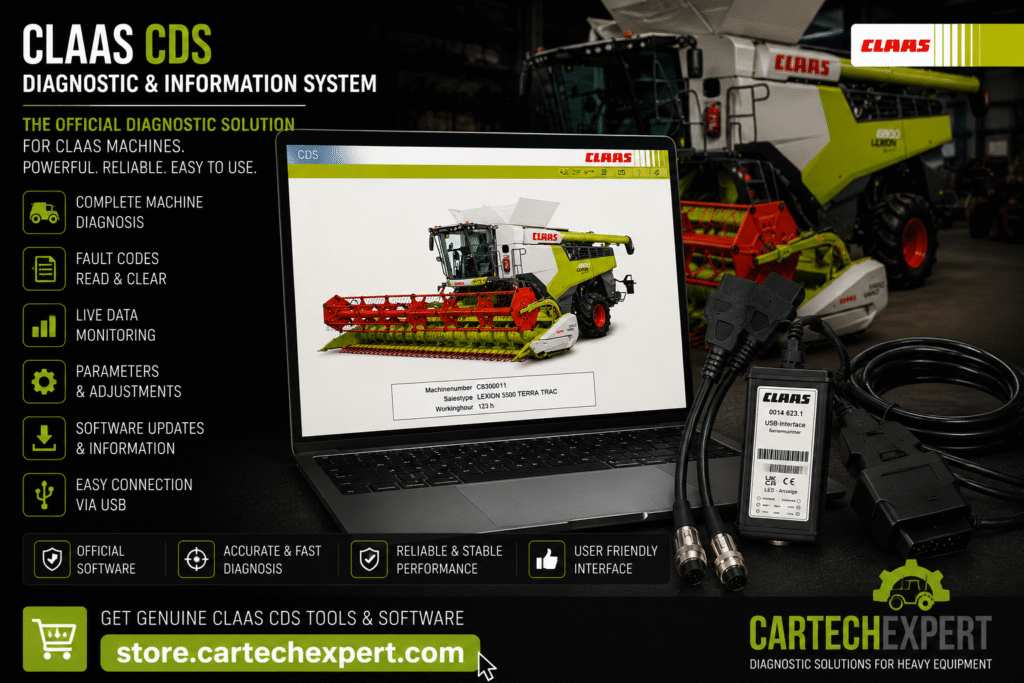
CLAAS Diagnostic System (CDS) is the official diagnostic platform used by technicians to service many electronically controlled CLAAS agricultural machines. It provides access to electronic control units, diagnostic trouble codes, live operating values and supported calibration procedures.
CLAAS CDS communicates with compatible machine controllers using approved diagnostic interfaces. It enables technicians to identify faults, monitor machine performance, perform guided diagnostics and verify repairs after maintenance.
| Machine Family | Typical Coverage |
|---|---|
| LEXION Combine Harvesters | Supported electronic generations |
| JAGUAR Forage Harvesters | Supported models |
| AXION & ARION Tractors | Compatible tractor platforms |
| SCORPION Telehandlers | Supported electronic systems |
| Balers & Implements | Selected compatible equipment |
| Controller | Purpose |
|---|---|
| Engine ECU | Engine management |
| Transmission Controller | Powertrain control |
| Hydraulic ECU | Hydraulic management |
| Implement Controller | Implement communication |
| Cab & Display Controller | Operator interface |
| Function | Status |
|---|---|
| Read & Clear DTCs | Supported |
| Live Data Monitoring | Supported |
| Controller Identification | Supported |
| Calibrations | Supported on compatible systems |
| Service Tests | Model dependent |
| Maintenance Functions | Supported |
Yes. Supported machines provide real-time sensor and controller information for diagnostics.
Many compatible CLAAS tractors, combines and forage harvesters are supported, depending on model and controller generation.
When diagnosing intermittent harvesting or hydraulic issues, record live machine data during operation whenever possible. Comparing values under load often reveals faults that are not visible with the machine stationary.
CLAAS CDS is an essential diagnostic solution for professional workshops servicing compatible CLAAS agricultural equipment. Combined with proper service procedures and systematic troubleshooting, it helps maximize machine uptime and repair quality.
