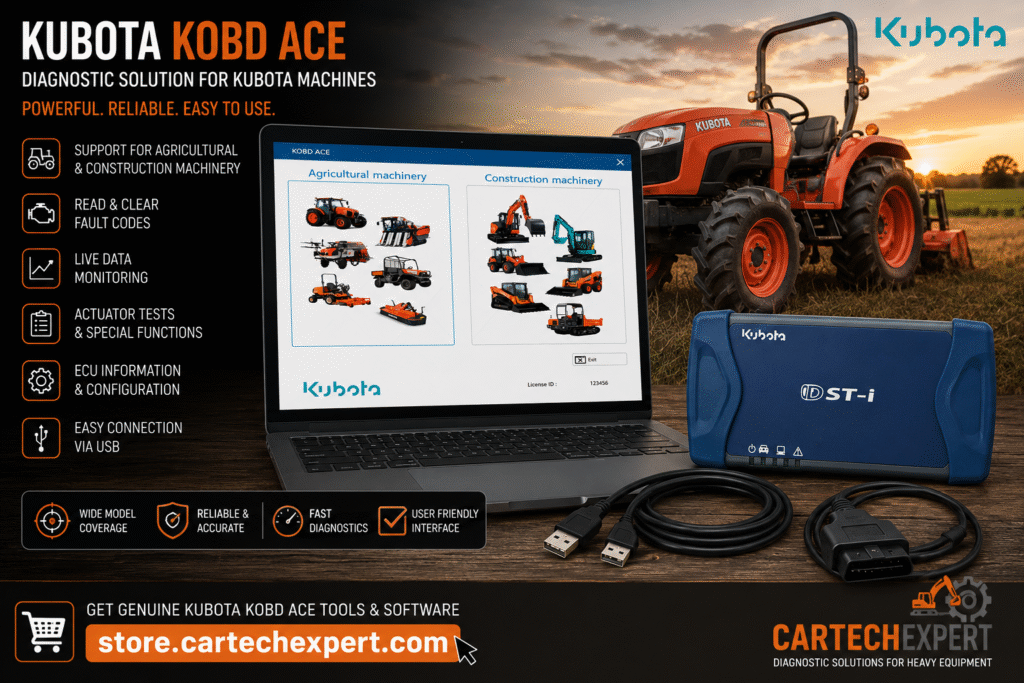
Kubota KOBD ACE: The Complete Guide to Kubota Dealer Diagnostic Software

Kubota KOBD ACE: The Complete Guide to Kubota Dealer Diagnostic Software

Note: This is Part 1 of a flagship guide designed for CarTechExpert.

SEO Meta Title

Kubota KOBD ACE Complete Guide | Kubota Diagnostic Software for Tractors & Construction Equipment

SEO Meta Description

Learn everything about Kubota KOBD ACE, Kubota’s OEM diagnostic software. Explore supported tractors, excavators, diesel engines, diagnostic functions, ECUs, communication adapters, troubleshooting and workshop best practices.

Introduction

Kubota KOBD ACE is the official OEM diagnostic platform used to diagnose, maintain and troubleshoot many electronically controlled Kubota machines. This flagship guide is structured for technicians, workshop owners and fleet managers who need a practical understanding of Kubota electronic diagnostics.

What is Kubota KOBD ACE?

KOBD ACE communicates with supported electronic control units through approved diagnostic hardware. Depending on machine generation and authorization, technicians can identify controllers, retrieve diagnostic trouble codes, monitor live data, perform selected calibrations and generate service reports.

Why KOBD ACE Matters

  • OEM-level diagnostics
  • Controller identification
  • Live operating data
  • Guided troubleshooting
  • Preventive maintenance support
  • Workshop efficiency

Supported Kubota Equipment

CategoryTypical Coverage
Compact TractorsBX, B and LX Series
Utility TractorsL and M Series
Agricultural TractorsM7 and compatible models
Mini ExcavatorsU Series and KX Series
Compact Track LoadersSVL Series
Wheel LoadersCompatible models
RTV Utility VehiclesSupported RTV platforms
Diesel EnginesElectronically controlled industrial engines

Supported Electronic Controllers

ControllerRole
Engine ECUFuel injection, emissions and engine management
Transmission ControllerTransmission operation
Hydraulic ControllerHydraulic functions
Instrument ControllerOperator information
Implement ControllerAttachment communication

Main Diagnostic Functions

FunctionDescription
Read DTCsView active and stored fault codes.
Clear DTCsClear supported codes after repair.
Live DataMonitor sensors and operating values.
Machine IdentificationDisplay ECU and machine information.
ReportsCreate service documentation.

KOBD ACE vs DiagMaster

KOBD ACEDiagMaster
Modern Kubota platformEarlier diagnostic application for certain supported systems
Broader equipment supportFocused on older supported platforms

Workshop Workflow

  1. Verify battery voltage.
  2. Connect the approved interface.
  3. Identify all controllers.
  4. Read DTCs.
  5. Analyze live data.
  6. Carry out repairs.
  7. Confirm repair by retesting.

Field Engineer’s Notes

Always inspect the wiring harness, connector seals and ground circuits before replacing an ECU. Many intermittent Kubota faults originate from electrical issues rather than failed controllers.

Related Articles

  • John Deere Service Advisor
  • AGCO EDT
  • CNH EST
  • SAE J1939 Communication Explained

End of Part 1. This article is intended to be expanded into a 6,500–7,500 word flagship guide.